multilingual voice assistant
Multilingual voice assistant hardware: the mic has no languages
A multilingual voice assistant gets its languages from your speech-to-text, your model and your voice service, so here is what capture hardware still changes.
August 21, 2026 10 min read
Teams building across several languages tend to shop for a microphone that understands them. No such microphone exists, and QuickComm publishes this article partly to say so. A multilingual voice assistant takes every one of its languages from the speech-to-text service, the model and the text-to-speech voice in the reader's own stack, and the hardware underneath contributes nothing linguistic whatsoever.
A multilingual voice assistant is a voice AI system whose language coverage is determined entirely by the transcription, model and speech synthesis services it runs on, not by the device that captures the audio.
The short version
- QuickComm devices have no language ability of any kind and no language setting, because nothing on the device would consume one.
- The hardware captures 16 kHz mono PCM through a 24-bit codec and streams it to the endpoint the buyer configures, and every language decision happens after that.
- Capture quality matters more for a second language than a first, because accented speech and unfamiliar proper nouns already use up the margin a recogniser has to be wrong with.
- Pre-roll buffering keeps the first syllable, which is a typo in a language you read and a plausible wrong word in a language you do not.
- Consistent capture distance is worth more than raw loudness, because it is what makes accuracy comparisons across languages mean anything.
What does the hardware know about language?
Nothing at all. There is no language setting on a QuickComm device because nothing on the device would read one. What runs locally is voice activity detection, which decides whether speech is present, push-to-talk framing, which decides when a turn starts and ends, and pre-roll buffering, which keeps the moment before the button from being lost.
None of those three care whether the speaker is using Arabic, Tagalog or Brazilian Portuguese. All three are timing and gating functions, and all three behave identically regardless of what is being said. Firmware arrives pre-flashed, and what you configure from the console is where the audio goes, how the device is assigned and when it takes an over-the-air update.
So when your multilingual voice assistant mishears a word in Hindi, the fix sits in your transcription service, your prompt or your voice model. The fix is never in the hardware. State that limit plainly to whoever is paying, because a device cannot be blamed for a language problem and cannot be credited with solving one.
Where do the language decisions actually live?
Every language decision lives in a service you chose and can swap. Writing down which component owns which decision saves a week of debugging one of them from the wrong end.
- Speech-to-text owns which languages can be recognised at all, and how well accented speech in each of them survives.
- Language identification, whether a feature of your transcription service or a separate step, owns the guess about what is being spoken when you do not know in advance.
- The model owns whether it replies in the language it was addressed in, and whether it copes with a speaker who switches mid-sentence.
- Text-to-speech owns which languages you can answer in, and how natural the result sounds to a native ear.
- Your wake word, if you run one, owns whether it triggers reliably for speakers whose first language is not the one it was trained on.
All five run on your backend, wherever you put it. Whisper, Deepgram, OpenAI Realtime, ElevenLabs and a local Ollama box are all equally reachable, because over Wi-Fi the device streams to whatever endpoint is configured and that endpoint can be a LAN server. A self-hosted voice AI stack is not a special case to the hardware, which cannot tell the difference.
Why does capture quality matter more in a second language?
Capture quality matters more because a second language has already spent the margin that clean audio would have given back. A transcription service performs pattern recognition under uncertainty: give it a clean signal and it can be wrong about a single phoneme and still land the right word.
That margin is thinner for speech sitting further from whatever the acoustic model heard most of during training. Accented delivery, code-switching, proper nouns and local place names each consume part of it. Poor capture consumes the remainder, and it does so before your model ever sees a character of text.
A quieter problem sits behind the first. A team building in its own first language catches transcription errors by reading them. A multilingual voice assistant deployed across a workforce speaking five languages is often reviewed by people who cannot spot a plausible error in three of them, and confident nonsense in a language nobody on the team reads well travels a long way into production.
Framed turns give language identification a cleaner input
Push-to-talk framing hands your pipeline a turn rather than a room. Silence is never streamed, and neither is the general hum of everything that happened before somebody decided to speak.
In a single-language office that is mostly a bandwidth and privacy decision. On a mixed-language site it becomes an accuracy decision too. Rooms holding several languages usually hold several conversations, and an open microphone hands your language identification step a mixture to guess at, while a framed turn gives it one speaker who deliberately started talking.
Framing also puts a boundary around the unit your model has to reason about. A turn that begins when somebody chose to speak and ends when they let go is cleaner than a slice cut out of continuous audio by a silence threshold tuned in a quieter room with different speakers in it.
Pre-roll, and the syllable nobody notices going missing
Pre-roll buffering exists because people start speaking as they press, not after. Without it the opening consonant is gone before the stream opens, and what reaches your transcription service is a word with its front missing.
QuickComm devices hold a short rolling window of audio, so the first syllable is never clipped and the turn that leaves the device starts slightly before the press does. The mechanism is dull and its absence is the most common reason a framed capture design gets abandoned.
Truncation matters more once several languages are in play. A clipped opening sound in a language you read fluently registers as a typo and you correct it without thinking. In a language you do not read, the same clipping arrives as a different word that looks entirely reasonable, and somebody acts on it.
Consistent capture distance beats raw loudness
Recognition accuracy depends on how similar today's audio is to yesterday's, not only on how loud the speaker was. A microphone held at a different distance every time gives your transcription service a moving target, and you end up tuning against noise you introduced yourself.
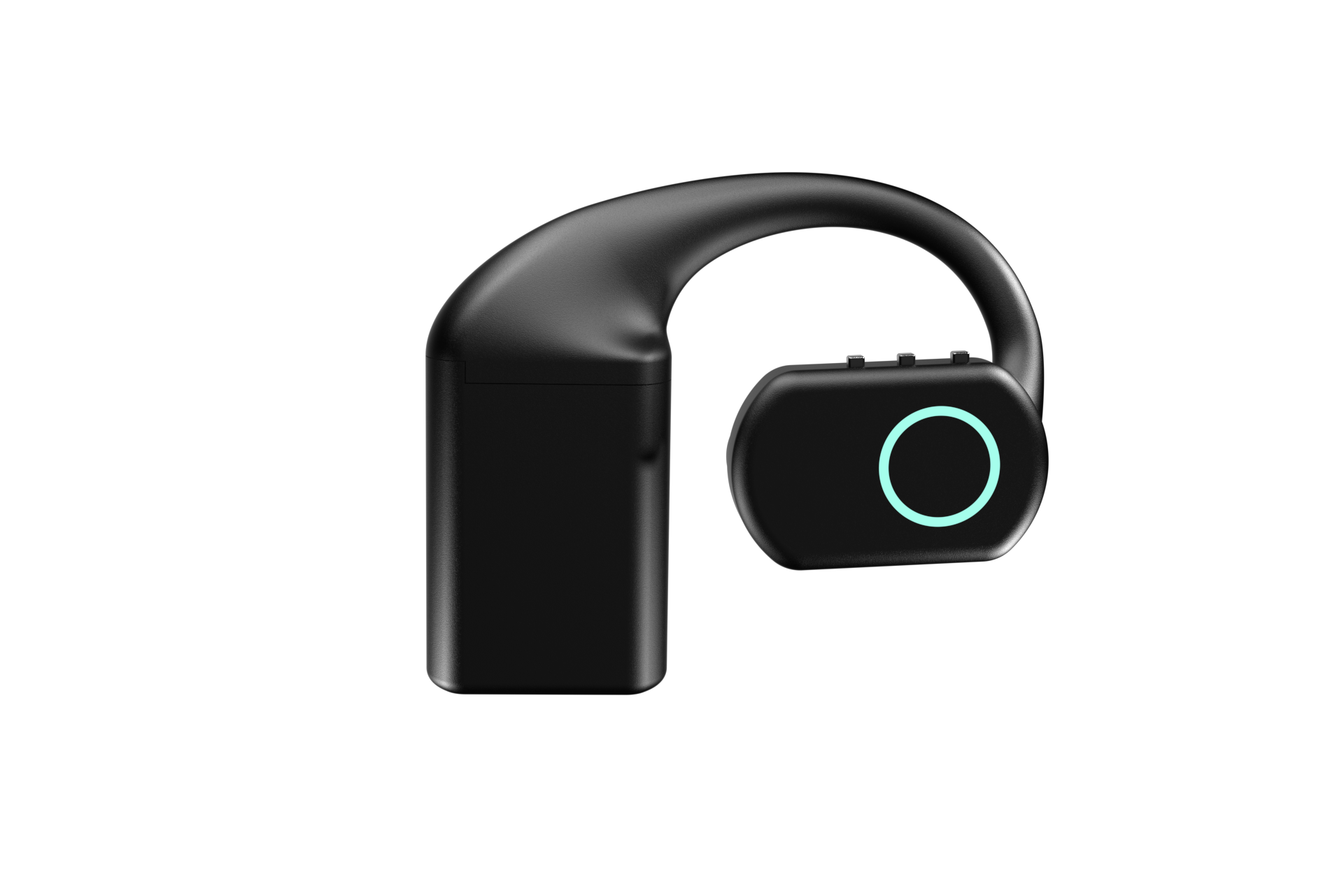
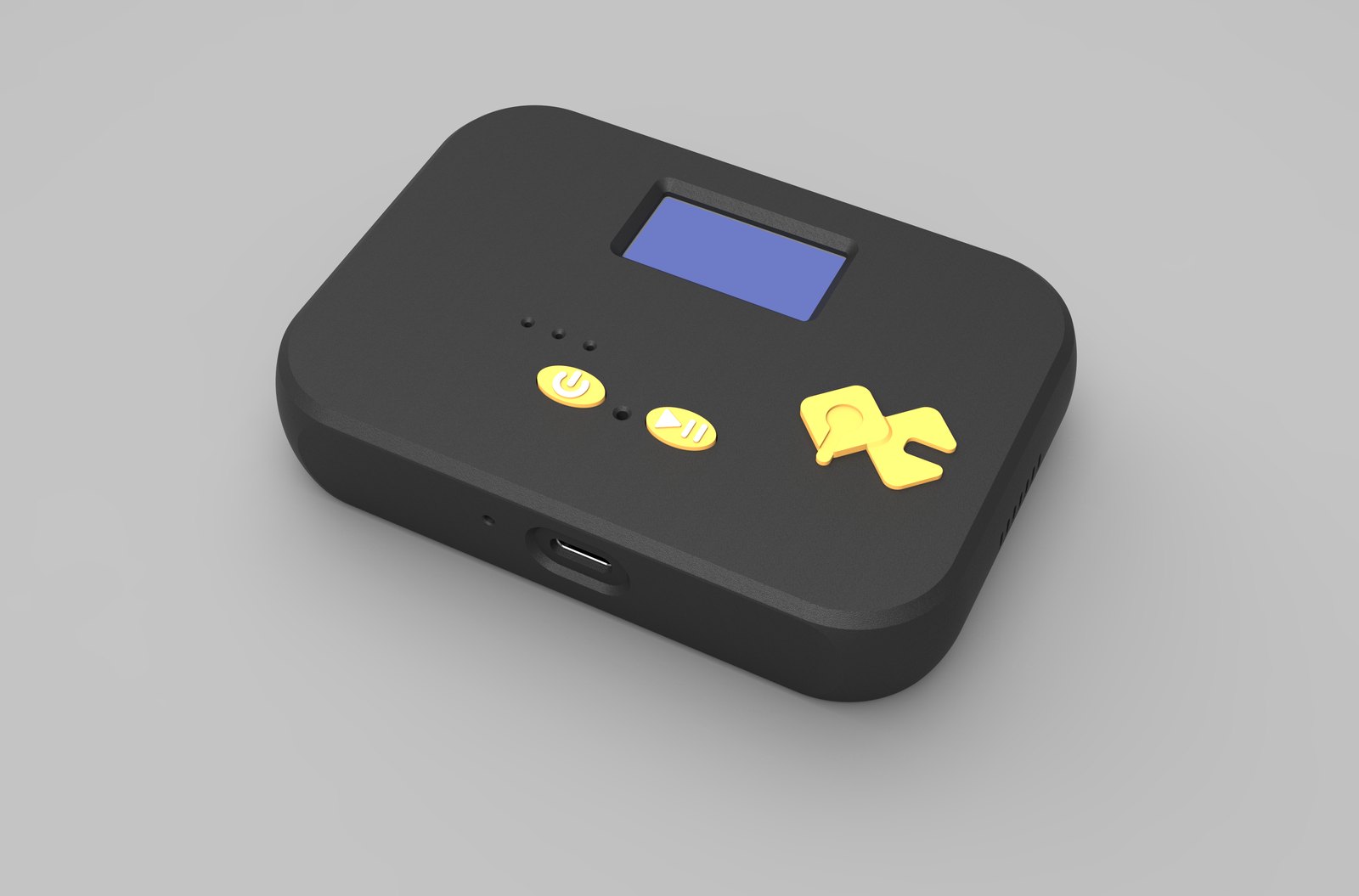
The Earpiece is the wearable microphone for AI case: worn over the ear, so the distance from mouth to mic barely changes from one turn to the next. The Table Top is the room microphone for AI case, with its mic tuned for table distance and left where somebody put it. In both, the geometry is decided once rather than renegotiated every time a handset is picked up.
Consistency is worth more to a multilingual deployment than most single improvements in raw quality, because consistency is what makes your accuracy numbers comparable. Without it you cannot tell whether last week's drop in Urdu accuracy was the model, the speaker, or one person who started holding the device differently.
How should you test a multilingual stack before building on it?
Test capture and transcription on their own, before any application logic exists. Most of this fits in an afternoon: capture audio, send it to your transcription service, read the output, and only then decide what to build.
- Record the same three sentences in every language you intend to support, through the device, and run them through your transcription service before writing anything on top.
- Test a sentence that switches language halfway through, because a great deal of real speech lives there and language identification fails most quietly at that seam.
- Use the speakers you actually have, not the most fluent person on the team.
- Capture the same sentences on a laptop microphone in the same room for comparison, and treat a laptop that is close enough as a legitimate finding.
- Keep the raw PCM, because when accuracy drops in three months you will want the original audio rather than a transcript of it.
What this hardware does not do
QuickComm devices do not transcribe, translate, detect a language, summarise or route anything, in any language. No inference runs on the device beyond voice activity detection, and no claim about language support attaches to the hardware at any point. Language coverage belongs to your stack and so does the credit for it.
The physical limits are short to list. Capture is 16 kHz mono PCM only, which suits speech and rules out anything needing a wider band or a stereo pair. Wi-Fi is 802.11 b/g/n on 2.4 GHz only, alongside Bluetooth 5.2 for the local path, and no ingress protection rating is claimed anywhere.
The 12-month warranty excludes physical damage, you own the backend along with its uptime and its bills, and audio quality follows the source the device is given. Anyone hoping a device will lift accuracy in a language their transcription service handles badly should spend the money on a better service instead.
Common questions
Does a multilingual voice assistant need different hardware per language?
No. QuickComm devices capture 16 kHz mono PCM and stream it to your endpoint regardless of what is being spoken, so one device serves every language your stack supports. A multilingual voice assistant changes languages by changing services or prompts on your backend, never by changing the microphone.
Can the device detect which language somebody is speaking?
No, and nothing on the device attempts it. Language identification is a step in your pipeline, either built into your transcription service or run separately after it. The device only decides when a turn starts and ends and whether speech is present.
Would a cheaper microphone do the job?
Often yes. If your users sit at desks, already own headsets and will open a browser tab, a laptop or a phone captures their speech well enough, and language accuracy does not improve because a device arrived in the post. Dedicated capture earns its place when hands are busy, when people move, or when personal phones are not allowed on the floor.
Can audio for a multilingual deployment stay on our own servers?
Yes. Over Wi-Fi the device streams to whatever endpoint is configured, and that endpoint can be a LAN server running local models such as Whisper under Ollama. Once configured, a device streams directly to your endpoint and does not depend on the console to keep working.
Where the devices fit
The QuickComm Earpiece is $350: an over-ear unit with three physical buttons, a MEMS mic, an integrated speaker and three hot-swap 700 mAh battery packs at roughly 8 hours each and about 24 hours combined, plus a dock that holds its own charge. The Table Top is $200, a desk or wall unit with an on-device status display, two physical buttons, a 1000 mAh internal battery and USB-C.
Both ship as a voice AI dev kit meant to be embedded in your own project, built to order in 10 days worldwide, with lifetime customer support behind them. Neither will ever tell you which language somebody just spoke, and the product pages are the place to check the rest of the specification before you commit.