OpenAI Realtime hardware
OpenAI Realtime hardware: what changes when the microphone is a device
A concept level look at OpenAI Realtime hardware: how a button, pre-roll and your own relay reshape a session once the microphone leaves the browser.
August 6, 2026 9 min read
A realtime voice session in a browser tab is a satisfying thing to get working. Microphone permission, a socket, frames going out, frames coming back, and a model that handles interruption better than most people do. Close the laptop and the session closes with it, which is the moment builders start asking about OpenAI Realtime hardware.
OpenAI Realtime hardware, described honestly, is not a device that talks to a model at all: it is a microphone that frames turns, streams 16 kHz mono PCM to an endpoint the buyer configures, and leaves the model session to run in the buyer's own backend. What follows is concept level only, with no code, no request payloads and no endpoint paths, because those belong in current documentation rather than an article. QuickComm publishes this piece and sells the devices it describes.
The short version
- A physical device cannot hold your model session, so a relay or backend of yours sits between the device and the model API.
- A button frames each turn instead of browser voice activity detection, which removes false triggers and makes barge-in a design decision rather than a default.
- Pre-roll buffering sends the audio recorded just before the press, so a realtime model never conditions its answer on a turn that starts mid-word.
- Capture is 16 kHz mono PCM from a 24-bit codec, and any format conversion belongs in your relay rather than in firmware.
- The same shape works for Deepgram, Whisper, ElevenLabs or a local Ollama stack, because the device streams to whatever endpoint the buyer sets.
What changes when the audio source is a physical device?
Who holds the session changes, and everything else follows from that. In the browser version the tab is the client: the tab holds the session, the tab holds a token, and the audio path is short, from microphone to tab to model.
A device cannot take that position, and you would not want it to. A QuickComm device streams to whatever endpoint is configured for it from the console, and the endpoint is yours: a relay process, an application server, a box on your own network. Your relay opens and maintains the model session, so the path becomes microphone to device to your backend to the model, and back the same way.
Three consequences fall out immediately. Credentials stay on your server instead of living on something a person can drop in a taxi. Changing model provider becomes a deployment rather than a firmware exercise. And you gain a natural place to log, buffer, meter or discard audio before any of it reaches somebody else's API.
A popular assumption runs the other way, that serious voice hardware should hold the session itself and keep the path as short as possible. On a wearable that assumption costs more than it saves, because it puts long lived credentials on a losable object and welds one vendor into a device you cannot redeploy.
The device is an audio source with firm opinions about turns and transport. Everything about the model session stays exactly where it already is, in code the buyer owns.
Why does a button frame the turn instead of browser voice activity detection?
Because a button is unambiguous and voice activity detection is a guess. In a browser the usual arrangement lets detection decide where a turn starts and stops, either in your page or on the server side of the session, and that works well in a quiet room with one speaker and gets steadily worse from there.
QuickComm devices replace the guess with push to talk. The wearer presses to open a turn and releases to close it, and the device is the thing that knows the boundary. Silence between turns is never streamed, so your relay is not forwarding a quiet office to anything. On-device voice activity detection exists as well, but the human intent is the button.
Be clear about the trade, because a real one is involved. A held button removes an entire class of false trigger, and it also means the model cannot start answering before the speaker has finished. Barge-in becomes something you design deliberately rather than a behaviour you inherit, and that is a genuine cost rather than a footnote.
Pre-roll, and why a realtime session needs it more
People start talking as they press. With a batch transcription pipeline a clipped first syllable is an annoyance you notice later in the transcript, and often one you can shrug off.
With a realtime model those first frames are what the answer conditions on, so a turn that begins mid-word tends to produce a confident response to a question nobody asked. QuickComm devices keep a rolling pre-roll buffer and send it ahead of the live audio when a turn opens, so the first syllable is never clipped.
From the relay's point of view nothing unusual happens. The turn simply arrives complete, starting slightly earlier than the button did, which is exactly the property you want an audio source to have and exactly the one that is hard to add afterwards.
The input format and where conversion belongs
The capture side is fixed and deliberately plain: a 24-bit codec producing 16 kHz mono PCM, which is the common input shape for speech pipelines and the one most of them are happiest with.
If the session you open wants a different sample rate or container, that conversion belongs in your relay. Conversion there is a small, well understood transformation in a process you control and can redeploy in seconds, whereas anything that has to change on a device somebody is wearing becomes a firmware concern. Keeping the device incurious about formats is what keeps the rest of the stack movable.
Mono deserves a moment of thought too. One microphone and one wearer means there are no channels to separate and no speaker diarisation to attempt at the capture layer. If your application needs to know who said what, that has to come from elsewhere in the design, such as one device per person.
Transport between the device and your endpoint
Locally a QuickComm device connects over Bluetooth 5.2 (BLE). Over Wi-Fi it uses 802.11 b/g/n on 2.4 GHz with udp-v1, a loss tolerant wire protocol, on the usual reasoning for live voice: losing a frame and carrying on beats stalling the stream while something is retransmitted.
Your relay therefore does a small amount of real work. The relay absorbs the difference between a link that tolerates loss and a model session that expects a steady stream, and decides what happens when a turn arrives with a gap in it. That is a few dozen lines of thinking, and it is the part of OpenAI Realtime hardware that people underestimate.
Provisioning is a setup step rather than a runtime dependency. Once a device has been configured through the console it streams directly to your endpoint and does not depend on the console to operate.
The return leg deserves as much attention as the inbound one. The Earpiece has an integrated speaker, so your relay owns the way back as well: audio that starts playing while it is still being generated feels like a conversation, and audio that waits for the last token before anything reaches the ear feels like submitting a form, even when the total elapsed time is identical.
Does the same shape work for Deepgram, Whisper, ElevenLabs or Ollama?
Yes, and none of the device behaviour changes. A QuickComm device captures audio, frames turns and streams to a configured endpoint, so whether that endpoint fronts a hosted realtime model, a streaming transcription service, a Whisper deployment of your own or an Ollama instance in the next room is a decision that lives entirely in your relay.
Everything above the audio works the same way. Transcription, translation, summarising, routing and language coverage are all properties of the models you choose, not of the hardware. The device supplies clean, framed 16 kHz mono PCM and holds no opinion about what any of it means.
Moving the audio source out of the browser does hand you a few responsibilities the tab was quietly covering.
- Session lifecycle: whether one model session spans a day of turns or is opened per turn, and what happens when a session drops.
- Reconnection: a device that walks out of Wi-Fi range and back is normal, and your relay should treat the round trip as normal.
- Feedback to the wearer: with no screen, the LED and the speaker are the only way a person learns that a turn was heard or an error occurred.
- Backpressure: what your relay does with audio arriving while a previous response is still streaming back.
What this hardware does not do
No inference of any kind runs on the device. On-device processing stops at voice activity detection, so every token, transcript and synthesised reply comes from the buyer's backend, and the buyer owns that backend, its uptime and its bills.
No ingress protection rating is claimed. Wi-Fi is 802.11 b/g/n on 2.4 GHz only. Capture is 16 kHz mono PCM only, one channel with no speaker separation. The 12-month warranty excludes physical damage, returns run for 7 days, and audio quality follows the source rather than being repaired on the way.
Anyone still iterating on prompts, tools or voices should keep using the browser tab. Reloading a page is faster, inspecting a page is easier, and a tab costs nothing, so thinking about OpenAI Realtime hardware before the conversation itself is good is optimising the wrong end of the problem. Hardware earns its place when the agent is already worth talking to and the only limit is that talking to it means sitting down.
Common questions
Does a QuickComm device connect to a model API directly?
No. A QuickComm device streams to whatever endpoint the buyer configures from the console, and that endpoint is a relay or backend the buyer runs. Any OpenAI Realtime hardware arrangement therefore has the buyer's own code in the middle, which is where the session, the credentials and the provider choice all live.
Can the wearer interrupt the model mid-answer?
Only if you design for it. Push to talk means the device knows when a turn opens and closes, so barge-in becomes a behaviour your relay implements rather than one the transport provides. Builders who want interruption usually handle it by deciding what a fresh press should do to a response already in flight.
What sample rate does the device send?
16 kHz mono PCM, captured through a 24-bit codec, on every QuickComm device. If a session expects something else, the conversion belongs in your relay, where a change takes a redeploy rather than a firmware cycle.
The kit to prototype against
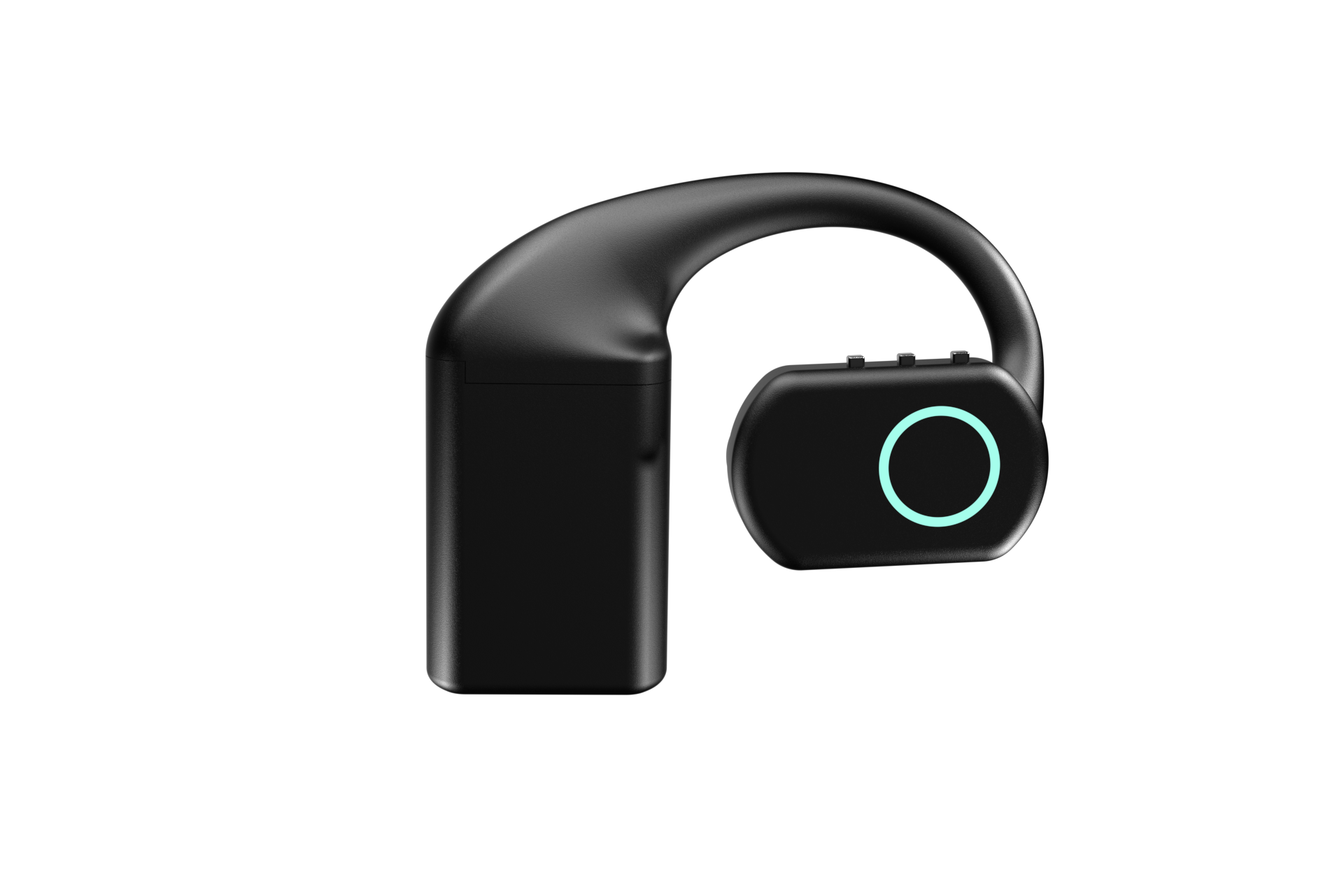
The QuickComm Earpiece is a development kit built for exactly this position in a stack: over-ear, MEMS microphone, integrated speaker, RGB LED, three physical buttons, three hot-swap battery packs and a charging dock, at $350. Each unit arrives pre-flashed, and the stream endpoint is set from the console rather than compiled into firmware.
Kits are built to order and ship in 10 days worldwide, support runs for the life of the device, and there is a builders community on Slack where the people wiring these into their own relays compare notes. If your realtime agent is ready to leave the tab, that is the piece it is missing.