push to talk voice AI
Push to talk voice AI or an open microphone: how to choose
Push to talk voice AI or an always-listening mic: the honest cost of each in inference, storage and trust, and the cases where an open mic still wins.
August 18, 2026 10 min read
Most voice projects choose their capture model by accident. Somebody wires up a microphone that stays open because that was the quickest thing to test, and a year later the pipeline is built on that assumption. Choosing between push to talk voice AI and an always-listening microphone changes your inference bill, your storage footprint and how people behave near the device. QuickComm publishes this piece because reversing that choice later is expensive.
Push to talk means a person marks the start and end of each turn with a physical control, and the device streams only the audio inside that frame. Always-listening means the microphone captures continuously and something downstream decides afterwards which parts mattered.
The short version
- Framed capture sends your backend a few seconds of audio per utterance, while an open microphone sends audio for every hour the space is occupied.
- Everything an open microphone captures has to be filtered by something, so you pay for speech-to-text and model time on audio nobody ever wanted.
- Pre-roll buffering is what makes a button usable, and QuickComm devices hold a rolling window of audio so the first syllable is never clipped.
- On-device voice activity detection is a separate mechanism from the button: the button reports human intent, voice activity detection reports whether speech is present at all.
- Always-listening is the correct architecture for a wake-word product, an ambient recorder or a user who cannot reliably operate a control.
- Framing loses whatever nobody thought to capture, which is a real cost and not a rounding error.
What does an open microphone cost your own stack?
An open microphone costs you inference and storage in proportion to the clock rather than to use. Start with that arithmetic, because it is the easiest part to check and the part teams skip. A microphone left open in an occupied room produces audio for as long as the room is occupied, while a framed one produces audio only for the seconds somebody chose to speak.
The ratio between those two numbers over a working day is not close. Most spaces are quiet most of the time, and most of the speech in an occupied space is not addressed to your agent. Whatever your speech-to-text costs per hour and your storage costs per gigabyte, an open microphone multiplies both by a figure you did not choose.
A second cost arrives later. Captured audio has to be filtered by something, and that something is either a model reading audio nobody wanted, which is inference you pay for twice, or a person reviewing it, which is worse. A push to talk voice AI design moves that decision to the cheapest place available, a finger on a button.
Here is the belief worth arguing with directly: the voice AI space treats an open microphone as the more capable default, the serious option that framed capture compromises against. For most builds the opposite holds. An open microphone buys completeness you rarely use and hands back a filtering problem you then solve badly with a model.
What does an open microphone cost you in trust?
An open microphone costs you the ordinary candour of everyone near it. A device that might be listening changes how people talk, and they are not wrong to adjust. Colleagues discuss pay, health and families in front of the same microphone you installed to capture a work note.
A visible, deliberate press is a social contract before it is a technical one. The press says the system captured this and not that, and everyone present watched the boundary being drawn. Consent explained in a policy document is far weaker than consent obvious from the shape of the device.
Recording law varies by jurisdiction more than most engineers expect, and framing does not make the legal question vanish. Framing does make the answer easier to give, because you can say precisely what was captured and who started it.
When is always-listening the right architecture?
Always-listening is right whenever the moment you want cannot be predicted by the person living through it. Several honest products cannot work any other way.
A wake-word assistant is the clearest case: if the entire value is speaking without touching anything, a button destroys the product. Hands-busy work is the second, because a user holding a tool, driving or wearing gloves cannot reach a control, and telling them to is a design failure dressed as a privacy feature. Accessibility is the third, since a control a user cannot reliably operate is a barrier rather than a safeguard.
An ambient recorder is the fourth case and the most honest one. When the point is a complete record of a meeting or a shift, nobody wants a transcript with holes in it because somebody forgot to press. Buy the storage, do the consent work properly, and treat the bill as the cost of the product you chose.
The trade-off deserves stating without hedging: framing loses whatever nobody thought to capture. The remark at the end of a conversation, the correction made while walking away, the sentence that only mattered three days later. If those moments are your product, an open microphone is correct and the costs above are the price.
Pre-roll buffering is what makes a button usable
Pre-roll buffering decides whether people keep pressing the button. The most common reason a framed design gets abandoned is neither policy nor cost: people found it irritating, because they pressed and spoke and the first word came back missing.
Users respond by learning to press, pause, then speak, a habit unnatural enough to decay within a week. After that they press late and lose words again, and somebody proposes an open microphone to stop the complaints. The gap between the press and the start of the stream was always the fault.
Pre-roll buffering closes that gap in the device. QuickComm hardware holds a rolling window of audio in memory, so when the button goes down the stream begins slightly before the press and the first syllable is never clipped. Without it, push to talk hardware is a design that reads well on a slide and tests badly in a room, and it is the single most common reason a push to talk voice AI build quietly reverts to an open microphone.
Voice activity detection is not the same mechanism as the button
Voice activity detection and push-to-talk answer different questions, and conflating them muddles the architecture. The button answers a question about intent: does this speaker want this captured. Voice activity detection answers a question about signal: is there speech here at all.
QuickComm devices run voice activity detection on the device itself, alongside push-to-talk framing where silence is never streamed. A held button during a pause therefore pushes no empty frames across the network, and a device in a quiet room generates no traffic. On a self-hosted backend that shows up at the disk and in the inference queue.
Detection is not a substitute for the button. Voice activity detection cannot tell speech aimed at your agent from speech aimed at a colleague standing behind them, and used alone as a capture trigger it produces most of the open-microphone bill with none of the open-microphone completeness.
How do the two choices compare in practice?
The two differ on volume, on consent and on what they can never recover. Read the table as two valid designs rather than a scoreboard.
| Consideration | Framed capture | Open microphone |
|---|---|---|
| Audio reaching your backend | Seconds per utterance | Continuous while occupied |
| Inference and storage load | Bounded by use | Bounded by hours in the day |
| Consent visible to people nearby | Yes, at the moment of capture | Needs policy and signage |
| Captures the unplanned remark | No | Yes |
| Works with hands busy or gloved | Needs a reachable control | Yes |
| Filtering effort downstream | Low | Substantial |
The right column is correct for a wake-word product or an ambient recorder, and the left column is correct for almost everything a small team builds first.
What framing looks like on each form factor
Framing looks different depending on where the control sits and who can see it, and that usually decides whether a build survives real users. All three QuickComm devices are dev kits with push-to-talk framing, pre-roll buffering, on-device voice activity detection and a 24-bit codec capturing 16 kHz mono PCM.
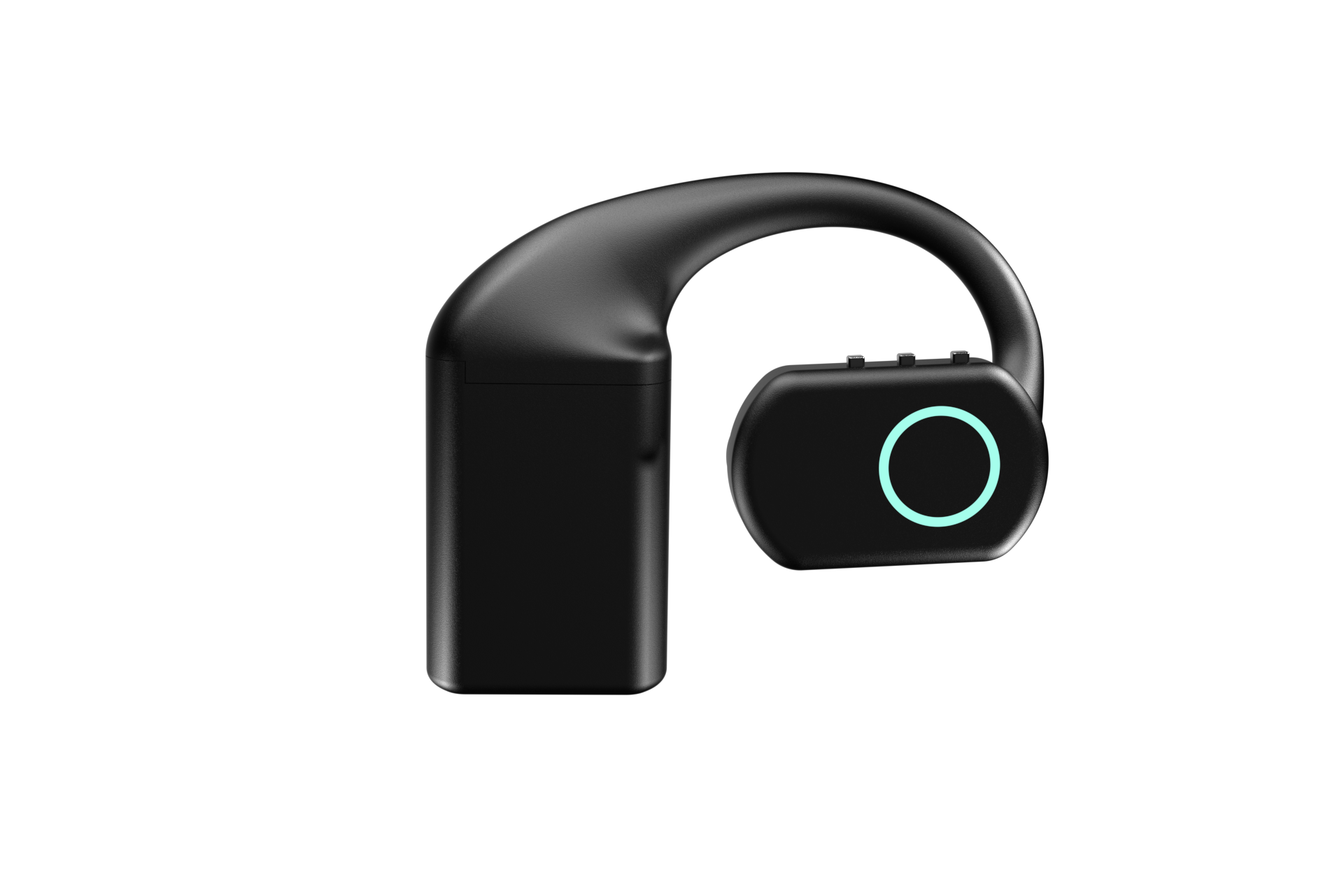
The Earpiece, at $350, covers the wearable microphone for AI case. Three physical buttons and deliberately no touch surface mean a sleeve cannot trigger it. An RGB LED reports state, a MEMS mic captures, an integrated speaker plays back, and three hot-swap 700 mAh packs give about 8 hours each and about 24 hours combined alongside a dock that holds its own charge.
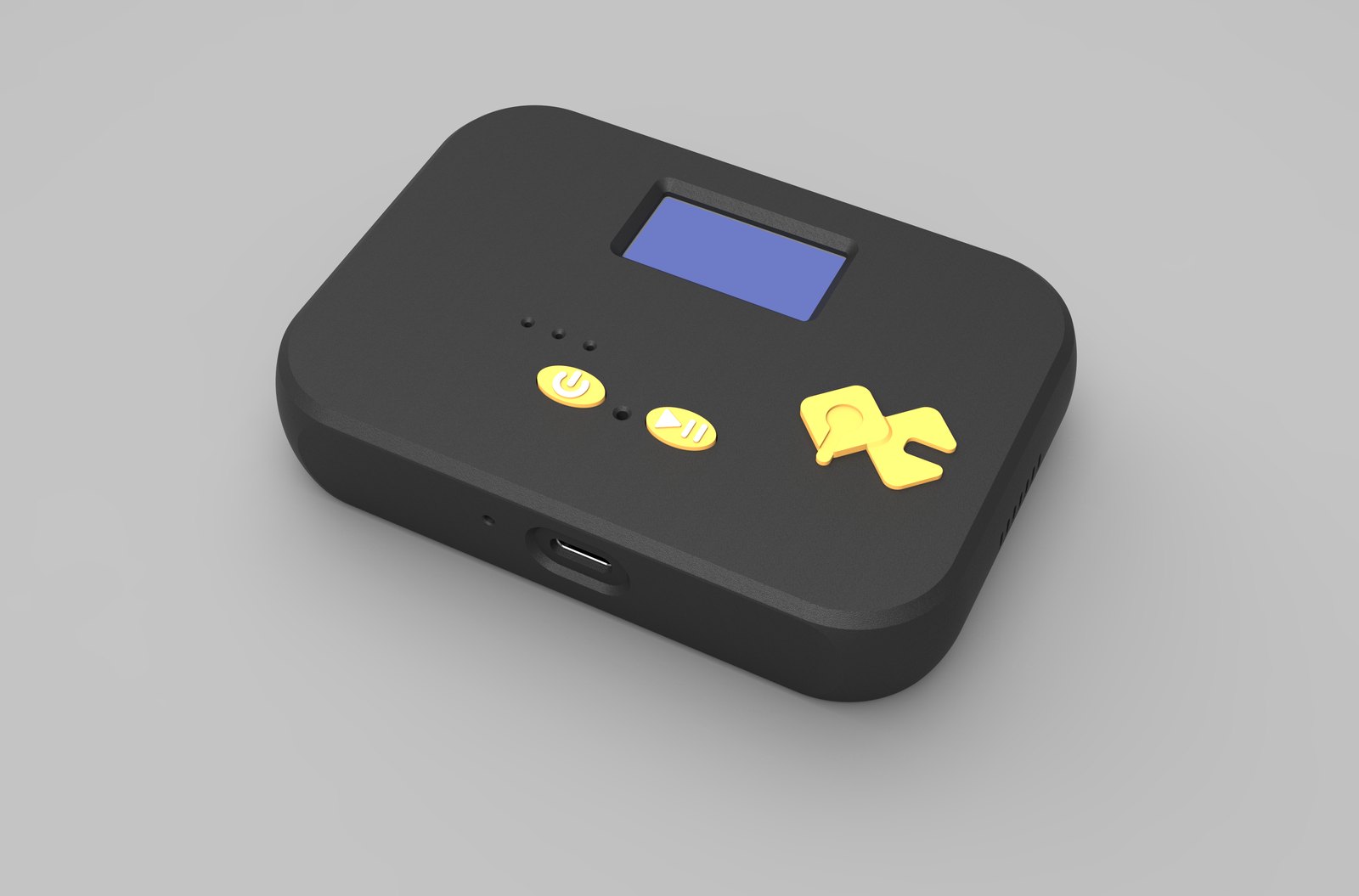
The Table Top, at $200, covers the room case: a desk or wall unit with a mic tuned for table distance, two physical buttons, an LED, a speaker, a 1000 mAh internal battery, USB-C and a display showing network, firmware and assignment. In a shared space the visible press does as much work as the capture itself.
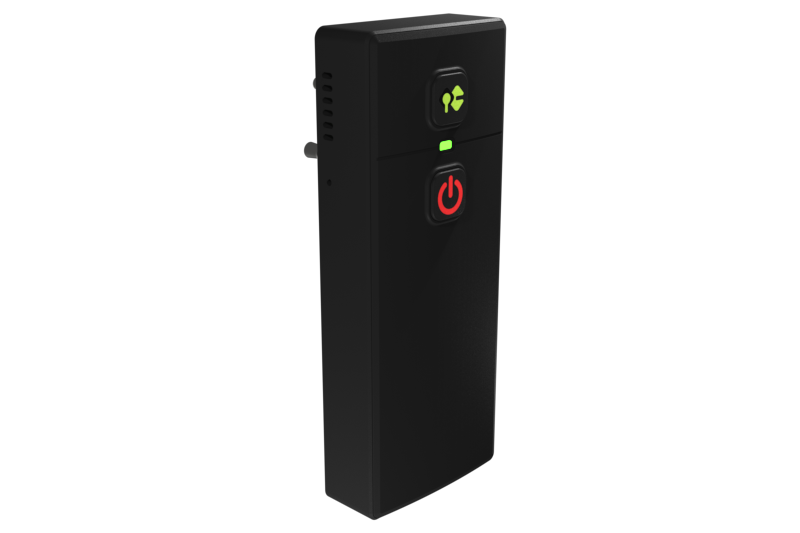
The Bridge Node, at $250, covers the case where framing already exists. A belt-clip unit plugs into 3.5 mm and 2.5 mm two-pin jacks on two-way radios, headsets, intercoms, PA systems, desk phones and consoles, sits inline so the host device keeps working, and carries a mic and a speaker. Radio operators already press before speaking, so your agent inherits a discipline that took years to establish.
What this hardware does not do
QuickComm devices capture and transport audio. No transcription, translation, summarising or routing happens on the device, because no inference runs there beyond voice activity detection. Your speech-to-text, your models, your wake word and your text-to-speech run on your backend, whether that is OpenAI Realtime, Deepgram, Whisper, ElevenLabs or a local Ollama box.
- Wi-Fi is 802.11 b/g/n on 2.4 GHz only, so a 5 GHz-only network needs changing first.
- Capture is 16 kHz mono PCM, which suits speech and not music or wide-band analysis.
- The hardware carries no ingress protection rating, and the 12-month warranty does not cover physical damage.
- You own the backend, its uptime and its bills, and audio quality follows the source.
- Anyone whose product depends on capturing what nobody intended to say should buy an always-listening design instead.
Common questions
Does push to talk voice AI work for a wake-word product?
Not well. A wake-word product exists so the user speaks without touching anything, and a button contradicts that promise. You can run your own wake word on your backend against framed audio, but if the value is hands-free triggering, always-listening is the honest choice.
Is voice activity detection enough on its own?
No. Voice activity detection reports whether speech is present, not whether it was meant for your system. QuickComm devices run it on-device alongside push-to-talk framing so silence is never streamed, but the button carries the intent.
Do I need hardware at all to test this?
Usually not at first. If your users sit at desks, a USB microphone and a browser tab will let you build and measure the whole pipeline for the price of an afternoon, which is the cheaper way to learn whether framing suits them. Dedicated capture pays when hands are busy, when people move, or when conditions must hold across many users.
Choosing your capture model
Write down the moment you actually want captured, in one sentence, before choosing hardware. If that sentence contains the word deliberately, framed capture is what you want. If it describes something nobody intends, plan for an open microphone and budget the storage and the consent conversation properly.
For the framed case the QuickComm range covers the wearable at $350, the room at $200 and the radio at $250, built to order and shipped worldwide in 10 days with 7-day returns. The product pages carry the per-device detail when you are ready to compare.