voice AI hardware
How to choose voice AI hardware without guessing
Choosing voice AI hardware comes down to form factor, capture framing, audio format, connectivity and power. Here is how each decision plays out in practice.
July 17, 2026 10 min read
Your agent works. The prompt is tuned, the tools are wired, the voice sounds right, and the whole thing still lives inside a browser tab on a laptop. Choosing voice AI hardware is the step where a working demo becomes something a person can use while standing in a workshop, sitting in a meeting room or holding a two-way radio, and most of the wrong turns happen in the first hour because the wrong question gets asked first.
Voice AI hardware is the capture and transport layer of a voice system: a microphone, a trigger, a radio and a power strategy that put speech onto a network in a form your speech to text can use. The reasoning, the transcription and the spoken reply are not part of the hardware and never have been.
The short version
- Form factor is the first decision, and it comes down to three cases: wear the device, place it in a room, or bridge it into audio equipment that already exists.
- Capture framing matters more than microphone specifications, because push to talk with pre-roll buffering gives your backend clean, bounded utterances instead of an open stream of room noise.
- 16 kHz mono PCM is the working format for speech, and every QuickComm dev kit captures it through a 24-bit codec.
- Connectivity on all three QuickComm devices is Wi-Fi 802.11 b/g/n on 2.4 GHz plus Bluetooth 5.2 BLE, with the stream endpoint configurable from the console.
- The three kits are the Earpiece at $350, the Table Top at $200 and the Bridge Node at $250, all built to order and shipping in 10 days worldwide.
- Buying hardware is worth it when the user has to move, when a room has to be covered, or when audio already lives on radios and consoles, and not much before that.
What counts as voice AI hardware?
Voice AI hardware is any device whose job is to get speech from a human into your pipeline reliably, and to get a reply back out. QuickComm, which publishes this guide and builds these kits in Dubai, sells three of them, and the honest description of all three is the same: a microphone, a speaker, a trigger, a radio and a battery, pre-flashed with firmware and pointed at whatever endpoint you configure.
Nothing in that list thinks. Speech to text, wake word matching, language models and text to speech all run on the buyer's backend, which might be OpenAI Realtime, Deepgram, Whisper, ElevenLabs, a local Ollama install or a stack you assembled yourself. Devices do run voice activity detection on board, which decides when speech is present, and that is where on-device processing stops.
Here is the counter-narrative worth stating plainly: microphone quality is rarely the bottleneck in a voice agent, and builders who shop by microphone specification usually end up with a beautiful capture of the wrong three seconds. Framing, placement and transport decide whether your transcripts are usable. Sensitivity decides very little by comparison.
Form factor: wear it, place it, or bridge to what exists
Pick the form factor from where the speech happens, not from what looks most advanced. Somebody walking a site with both hands busy needs a wearable. A meeting table, a workshop bench or a service counter needs a fixed unit with a microphone tuned for distance. A control room where every voice already travels over radios and headsets needs neither, because the audio path already exists and only needs a tap.
| Device | Form | Controls | Power | Where it fits |
|---|---|---|---|---|
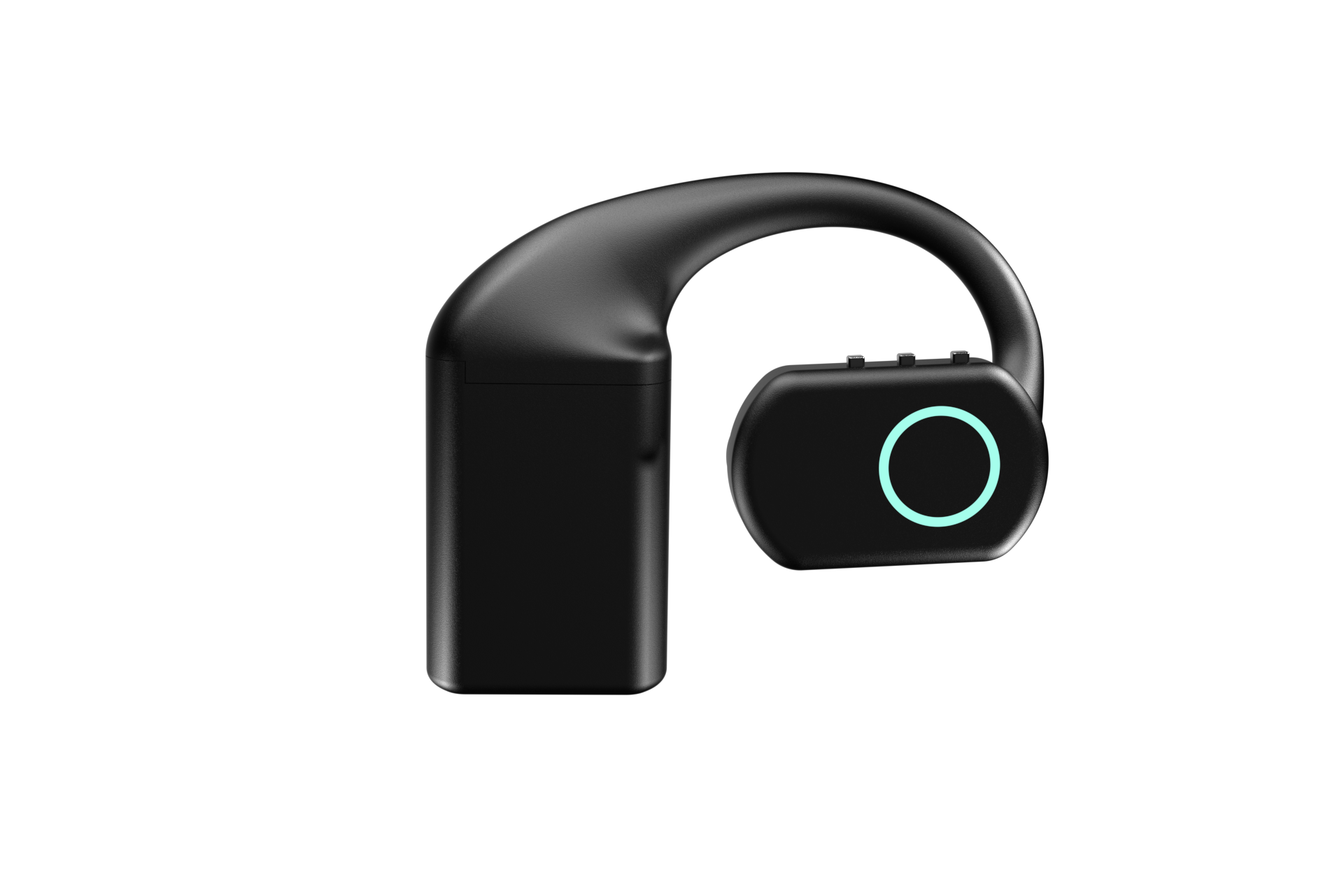
| Earpiece, $350 | Over-ear wearable with MEMS mic, speaker and RGB LED | Three physical buttons, power and volume up and down, no touch surface | Three hot swap 700 mAh packs, about 8 hours each and about 24 hours combined, plus a charging dock | One person moving around, hands busy, all day |
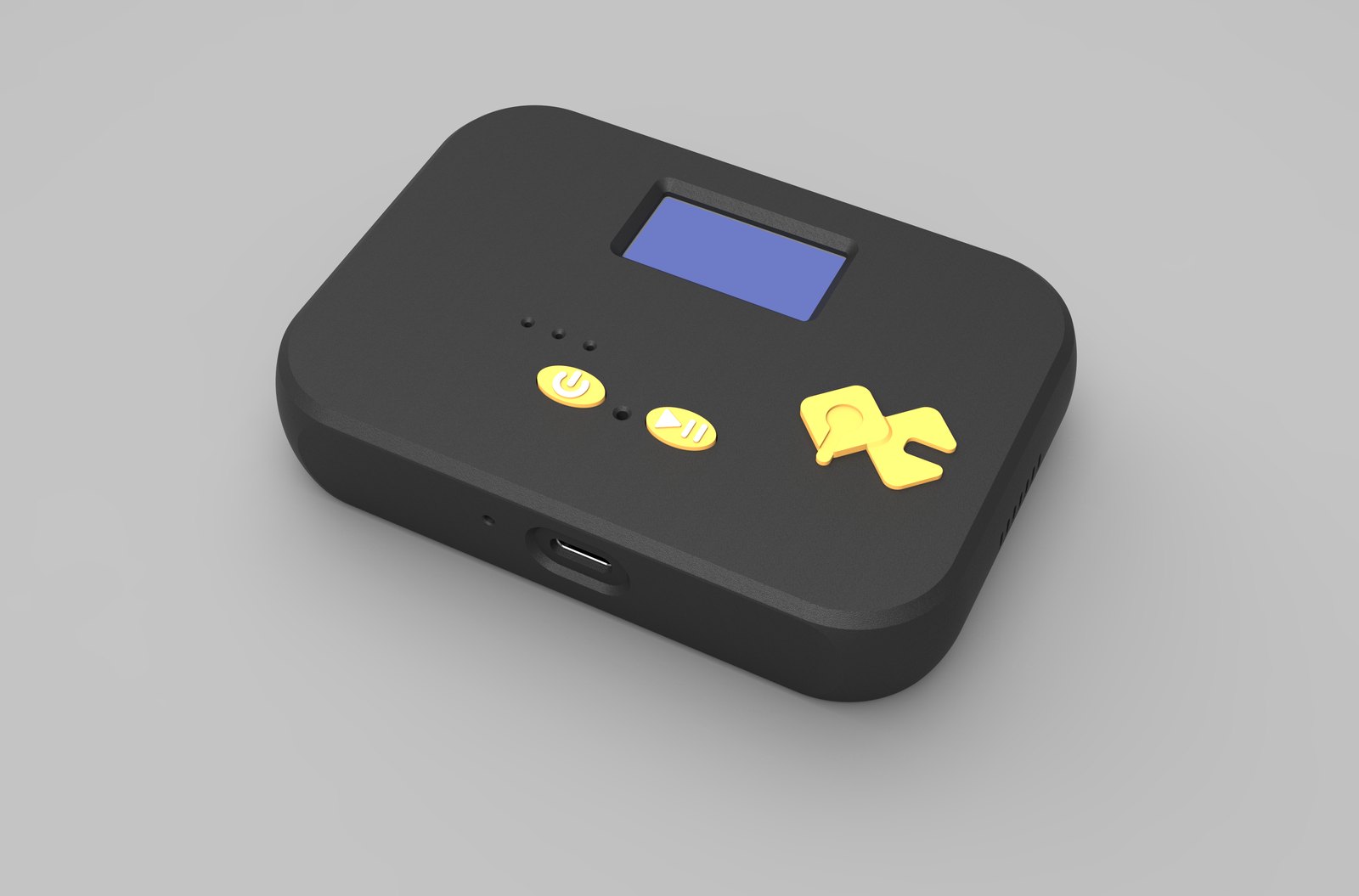
| Table Top, $200 | Desk or wall unit with a mic tuned for table distance | Two physical buttons, LED, speaker and an on-device status display | 1000 mAh internal battery with USB-C | A room, a bench or a counter where several people speak |
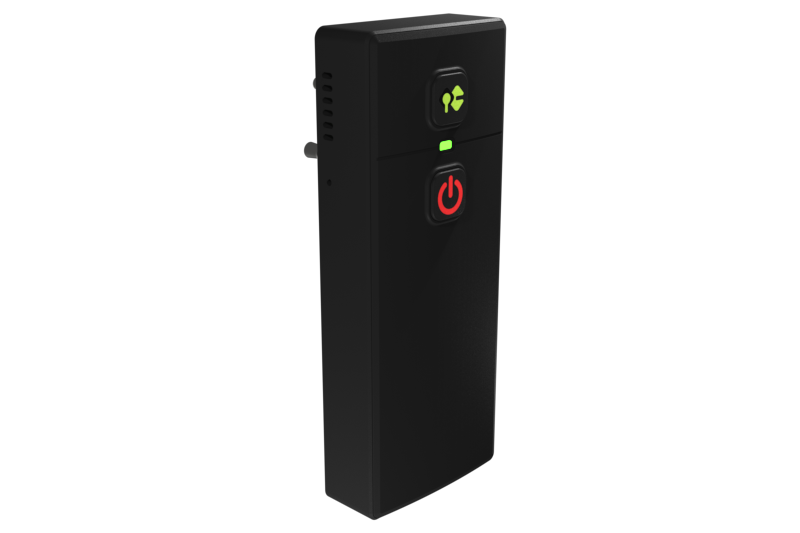
| Bridge Node, $250 | Belt-clip unit with 3.5 mm and 2.5 mm two-pin jacks, mic and speaker | On-device display, sits inline so the host device keeps working | USB-C | Two-way radios, radio headsets, intercoms, PA systems, desk phones and consoles |
The Bridge Node is the one builders forget exists. Plenty of sites already run their voice over equipment that works, and replacing that equipment to add an agent is a project nobody asked for. Sitting inline on the existing jack keeps the radio doing its job and gives your backend a copy of the conversation and a way to speak back.
How should a voice device decide when to capture?
Decide explicitly, with a button, unless you have a very good reason not to. QuickComm devices use push to talk framing, and silence is never streamed, which keeps bandwidth low, keeps your transcription bill proportional to actual speech and gives the backend an utterance with a beginning and an end rather than a river to segment.
The classic failure of push to talk is the clipped first syllable, because people start speaking a fraction before they finish pressing. Pre-roll buffering solves it: the device holds a rolling window of audio and includes what came just before the press, so the first word survives. On-device voice activity detection then keeps genuine silence out of the stream.
Audio format is the other half of capture. Speech recognition models are trained on narrowband speech, so 16 kHz mono PCM is not a compromise, it is the target. A 24-bit codec feeding that format gives your speech to text clean input without the storage and bandwidth cost of a music-grade stream that no model will thank you for.
Which connectivity and power strategy should you choose?
Choose the radio by what the device has to reach, and the power strategy by how long the user is away from a socket. Every QuickComm device carries both Wi-Fi 802.11 b/g/n on 2.4 GHz and Bluetooth 5.2 BLE. Locally the device connects over BLE, and over Wi-Fi it streams to whatever endpoint is configured, which can be a server on your own LAN.
2.4 GHz is a deliberate trade rather than an oversight. Lower throughput buys range and wall penetration, and a 16 kHz mono speech stream needs very little throughput, so the trade lands in the right direction for a device that has to work at the far end of a building.
Power splits cleanly by form factor. The Earpiece is the only one designed to leave a socket behind for a full shift, which is why it uses three hot swap 700 mAh packs and a dock that holds its own charge. The Table Top has a 1000 mAh internal battery for moving between rooms, and the Bridge Node runs from USB-C alongside the equipment it clips to.
Provisioning, updates and running more than one device
Provisioning is the part every prototype skips and every deployment regrets. QuickComm devices use QR provisioning, and setup runs to three easy steps from the console, with the documentation living in the console beside your account. Once a device is configured it streams directly to your endpoint and does not depend on the console to keep working.
Fleet management shows up around the fifth unit. OTA firmware updates, remote commands and health telemetry are the difference between a fleet and a drawer of devices whose state nobody can name. The Table Top and the Bridge Node also carry on-device displays showing network, firmware and assignment, which turns a support call into a glance.
Transport is engineered for the same reality. The udp-v1 wire protocol is loss tolerant, because a network that drops a packet should cost you a fragment rather than stall a conversation while it recovers.
Should you build your own voice AI hardware or buy it?
Build it if the device is your product, and buy it if the device is a way to reach your product. A development board, a microphone breakout and a weekend will get audio onto a network, and that is a genuinely good way to learn what the problem actually is.
The cost lands later, in the parts nobody enjoys: enclosure, battery handling, provisioning, firmware updates in the field, and a transport that survives a bad access point. Pre-flashed kits exist to skip that list, which is worth money to a team whose actual product is the agent.
Now the honest concession. If your project is one person at one desk, a plain USB microphone or the phone already in your pocket beats every device on this page, costs nothing to provision and never needs a firmware update. Buy voice AI hardware when the desk is the constraint, not before.
What this hardware does not do
- No device performs transcription, translation, summarising or any other AI task, and voice activity detection is the only processing that happens on board.
- Wi-Fi is 2.4 GHz only, on 802.11 b/g/n, so a 5 GHz-only site needs a 2.4 GHz network before these devices can join.
- Capture is 16 kHz mono PCM, which suits speech recognition and does not suit music or archival recording.
- QuickComm publishes no ingress protection rating, so none of the three should be treated as weather-rated equipment.
- Audio quality through the Bridge Node follows the source, because a bridge cannot improve on the radio or intercom it is plugged into.
- The 12-month warranty excludes physical damage, returns run to 7 days, and the buyer pays import duties on delivery.
A reader looking for a finished meeting assistant, a translation appliance or a product that works the moment it is unboxed should not buy any of these. Development kits assume a backend on the other end, and without one they capture audio that nothing is listening to.
Common questions
Do I need different voice AI hardware for each part of my deployment?
Often yes, and that is normal rather than a design failure. A single site can run Earpieces for people who move, Table Tops in the rooms where groups talk, and Bridge Nodes wherever radios or intercoms already carry the conversation. All three capture the same 16 kHz mono PCM and stream to the same endpoint, so your backend does not need to care which one spoke.
Can these devices stream to a server inside my own network?
Yes. The stream endpoint is configurable from the QuickComm console, and a LAN address is a valid destination, so audio can stay inside the building. Whether it does is a decision about your architecture rather than a limitation of the hardware.
What do volume discounts look like for a pilot?
Discounts start at 5% for 5 or more units, reach 10% at 10, 15% at 25 and 20% at 50 or more. Shipping is free over $2,000, everything is built to order and ships in 10 days worldwide, and the buyer pays import duties on arrival.
Is there a per-channel or per-device fee once the kits are running?
No. There are no per-channel fees and no platform lock-in, because a configured device streams straight to your backend without QuickComm in the path. Your running costs are the ones your own stack generates, such as transcription and model usage.
Choosing your first unit
Start with the single device that matches the hardest place your agent has to work, and order one before ordering fifty. Each product page carries the full specification for the Earpiece, the Table Top and the Bridge Node, and a single unit answers the questions a specification sheet never will, mainly about placement and about how people actually trigger a device when they are busy.
Every kit is built to order, ships in 10 days worldwide, and comes with lifetime customer support and a builders community on Slack where people compare notes on exactly these choices. Choosing voice AI hardware gets much easier once one unit is on the bench and your own backend is answering it.