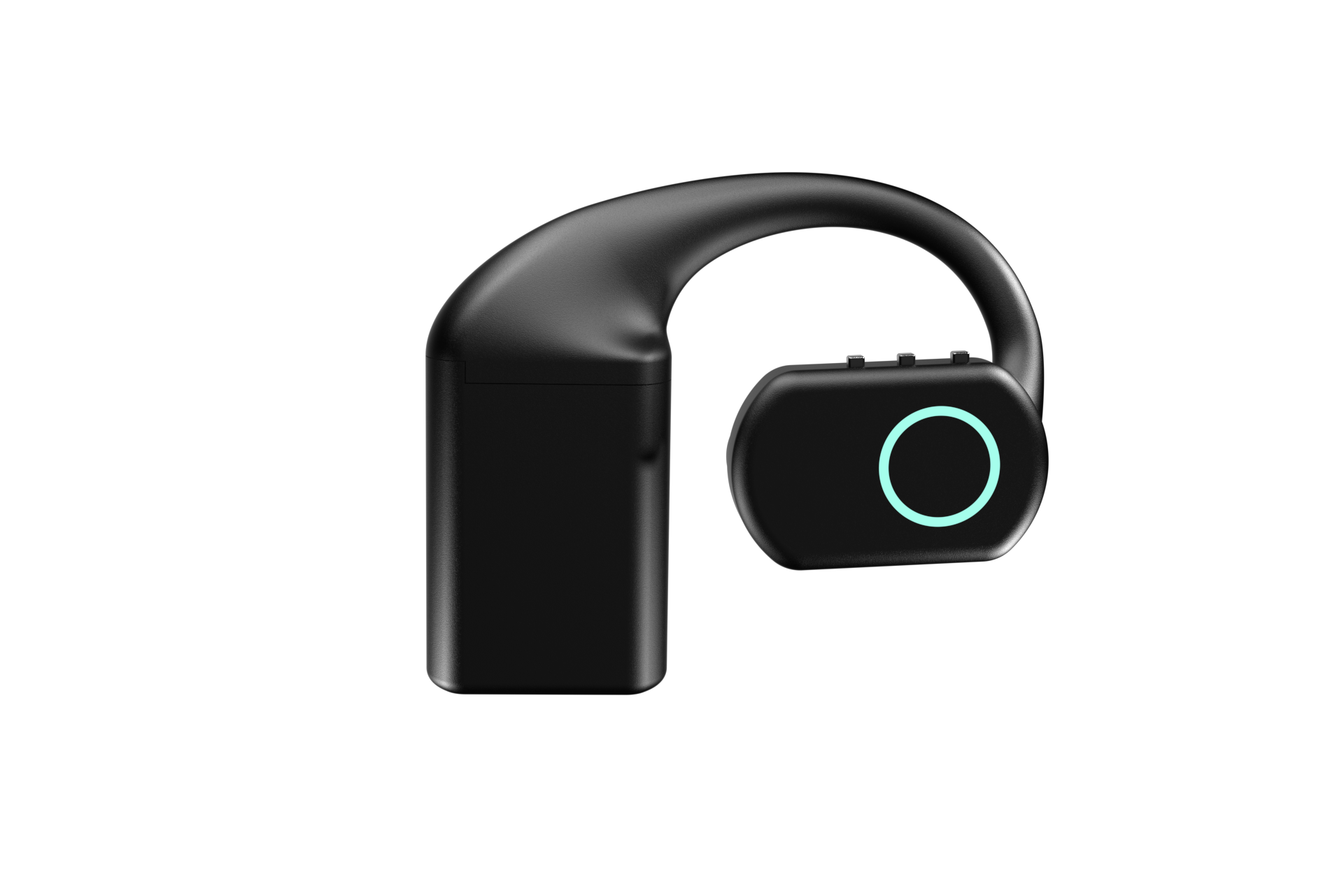
voice AI prototype hardware
Voice AI prototype hardware: moving a laptop demo onto a wearable
Moving to voice AI prototype hardware is rarely model work. Turn-taking, audio format, the network and the battery all stop being somebody else's problem.
August 23, 2026 10 min read
The demo works. Somebody speaks into a laptop, a browser tab streams the audio to your backend, the model answers through the speakers, and the room nods. Then somebody asks whether it could work while walking round a warehouse, and the project quietly becomes a different one. QuickComm publishes this article because that second project is mostly not model work, and knowing what it is instead saves a month.
Voice AI prototype hardware is a capture device that replaces the laptop microphone and browser tab in a working voice AI demo, taking over turn-taking, audio capture and network transport while the reader's speech-to-text, models and text-to-speech stay exactly where they were.
The short version
- A laptop supplies power, a screen, gain handling, a keyboard for turn-taking and a loopback network, and all five disappear at once when the device arrives.
- Turn-taking becomes a physical button, which usually simplifies your backend but rewrites any logic that relied on your own endpointing or on barge-in.
- QuickComm devices capture 16 kHz mono PCM through a 24-bit codec, so the format stops being negotiable and any adaptation moves to your backend.
- The network becomes real: Wi-Fi 802.11 b/g/n on 2.4 GHz, Bluetooth 5.2 and a loss-tolerant udp-v1 wire protocol instead of localhost.
- Test capture first, integration second and the full round trip last, because a failing end-to-end test tells you nothing about which layer broke.
- Plenty of projects should stay on a laptop, and finding that out early is a good result rather than a failure.
What was the laptop quietly handling?
The laptop was handling roughly half your product for free. Mains power, or a battery nobody thinks about. A screen that shows state without you designing one.
Driver-level gain handling came free as well, along with a keyboard for starting and stopping a turn and a network connection that is usually the loopback interface.
The browser adds more. A browser resamples whatever the microphone produces into whatever your backend wanted, and it hands you a user sitting still, looking at a screen, already told how the thing works.
None of that is exotic. Every item is invisible until it is gone, and it goes all at once. The useful exercise before ordering anything is listing what your demo depends on that is not your code, because that list is the migration plan.
Turn-taking becomes a physical control
Turn-taking stops being a keystroke and becomes a button somebody has to find without looking. On a laptop a turn starts with a click, a spacebar or an always-listening loop you tolerate because the machine is plugged in. All three are free there and none survive the move.
On something worn, an open microphone is expensive in power and awkward in a room with other people in it. Push to talk hardware stops being a preference at that point and becomes the sensible default. QuickComm devices frame each turn with push-to-talk and never stream silence, with on-device voice activity detection underneath and pre-roll buffering so the first syllable is not clipped when a speaker starts talking as they press.
Plan for the consequence in your code before ordering. Your backend stops receiving a continuous stream and starts receiving discrete turns with clear boundaries, which is usually a simplification. If your prototype relied on endpointing your own audio, or on barge-in during playback, you are rewriting that logic rather than porting it.
The human consequence matters as much. The Earpiece carries three physical buttons and no touch surface, which is a deliberate trade: fewer gestures to learn, and nothing triggered by a coat collar.
The audio format stops being negotiable
The device decides the format now, and you adapt around it. In the browser you took whatever the microphone gave you and converted it. On voice AI prototype hardware the format is a property of the device: QuickComm devices use a 24-bit codec capturing 16 kHz mono PCM, and that is what arrives at your endpoint.
Two checks follow. Confirm your speech-to-text accepts 16 kHz mono PCM, which most services do. Then find anywhere in your prototype that assumed a higher sample rate, a stereo pair or a particular container, and move that adaptation into your backend.
A fixed format turns into a gift once you stop resenting it. Every recording is comparable to every other one, which makes an accuracy regression traceable to something other than the audio pipeline. On a laptop, a browser update can change your input characteristics without anybody noticing.
The network is no longer localhost
Localhost never drops packets, never roams between access points and never has a wall in it. A device on a site does all three, and the network is the part of the migration most often discovered in production rather than in testing.
QuickComm devices use Wi-Fi 802.11 b/g/n on 2.4 GHz and Bluetooth 5.2, with a loss-tolerant udp-v1 wire protocol underneath. The stream endpoint is configurable from the console and can be a LAN server, which matters when your model runs on a box in the same building. After configuration the device talks to your endpoint on its own, with the console out of the path.
The questions to answer early are unglamorous. Where does 2.4 GHz coverage actually end on your site. What happens to a turn that was mid-flight when somebody walked through a doorway. What does the person holding the device see when the network is gone, and what do you want them to do about it.
BLE audio streaming is the other local path, useful when there is no wireless network worth trusting or when the device is paired to something nearby. Which path you use is a deployment decision rather than a hardware one.
The thing now has a battery
A worn device has a power model whether you designed one or not. Laptop demos have none at all, so the question arrives as an operational one rather than an engineering one: who charges this, when, and what happens to the shift if nobody did.
The Earpiece answers with three hot-swap 700 mAh battery packs, each good for around 8 hours and about 24 hours in total, plus a rechargeable charging dock that holds its own charge. Hot-swap is the important word, because a pack change keeps a shift running where a device tethered to a cable does not.
Health telemetry exists so you can see a flat device coming rather than hear about it. What you do with that data is your side of the line, but battery state now belongs in your operations story.
What should you test first, and in what order?
Test capture on its own before anything else, and leave the full pipeline until last. The instinct is to plug the device into everything and see whether the assistant answers, but when that fails you learn nothing about which layer failed.
- Capture only. Stream from the device to a socket that writes raw PCM to disk, then listen to the files, because everything downstream is easier once you trust the audio.
- Your existing pipeline, unchanged, fed from those files. If accuracy differs from your laptop recordings, the problem is capture rather than integration.
- A live round trip on the real network in the real room, not at the desk two metres from the access point.
- Turn-taking with somebody who has never used it. Watch where their thumb goes and how long they hold the button.
- A full working day on battery, with the pack swap done by whoever will really be doing it.
- Failure behaviour. Pull the access point mid-sentence and decide whether what happens next is acceptable.
Running those in order takes a few days and settles the argument where three teams each believe the problem belongs to one of the other two. The exercise also leaves you reference recordings, the most useful thing to have the first time a user reports that the assistant has got worse.
Should your project stay on a laptop?
Quite possibly, and that is a legitimate outcome rather than a failed evaluation. If your users sit at desks, a USB microphone and a browser tab will beat any wearable for a long time: cheaper, nothing to charge, nothing to provision, nothing to lose in a car park, and you change the interface by deploying.
Dedicated hardware earns its cost when the constraint is physical rather than technical. Hands are busy, the person is moving, personal phones are banned on the floor, a room needs covering daily without anybody setting anything up, or you need the same capture conditions across thirty people rather than thirty laptops.
The belief worth arguing with is that a device makes a voice project more serious. A device makes a voice project more constrained, and constraint only helps once the physical problem is real. If none of the situations above describe yours, hardware will slow you down without improving anything.
What this hardware does not do
A QuickComm device captures and transports audio and nothing else. No transcription, summarising or routing runs on it, and no inference runs on it beyond voice activity detection. Your speech-to-text, your models, your wake word and your text-to-speech stay yours, whether that means OpenAI Realtime, Deepgram, Whisper, ElevenLabs or a local Ollama box.
- Wi-Fi is 802.11 b/g/n on 2.4 GHz only, so a site running 5 GHz alone needs work before a device reaches your endpoint.
- Capture is 16 kHz mono PCM only, and any prototype expecting a wider band has to change rather than the device.
- No ingress protection rating is claimed, and the 12-month warranty excludes physical damage, which is worth knowing before handing units to a field team.
- The backend, its uptime and its bills are yours, and capture quality is only ever as good as the source.
- A team whose users sit at desks all day should not buy this, because a browser tab already solves their problem.
Common questions
How much of my prototype survives the move to voice AI prototype hardware?
Most of the interesting part survives. Your prompts, your models, your speech-to-text and your text-to-speech carry over untouched, because voice AI prototype hardware only replaces capture and transport. What changes is turn-taking, the audio format your backend accepts and everything you had assumed about the network.
Do I have to change my speech-to-text service?
Almost certainly not. QuickComm devices deliver 16 kHz mono PCM, which Whisper, Deepgram and the major hosted services all accept. Check the sample rate your current code assumes, then adapt on your backend rather than expecting the device to produce something else.
Can I keep everything on my own network?
Yes. The stream endpoint is configurable from the QuickComm console and can point at a LAN server, so a model running on a machine in the same building is a normal configuration. Once configured, the device streams straight to that endpoint without depending on the console to operate.
How many units should a first order be?
Enough to test the operational story rather than the audio. One unit proves capture, but a pack swap, a charging routine and two people using the same button differently need a handful. Volume discounts start at 5 units, roughly the size of a useful pilot.
Getting a device on the bench
The QuickComm Earpiece is $350 and ships as a voice AI dev kit rather than a finished product. Units arrive pre-flashed, are provisioned by QR from the console in three steps, take over-the-air firmware updates and stream to whatever endpoint you configure.
That is the useful shape for AI hardware for developers: a capture layer with no opinions about your stack. Devices are built to order and ship in 10 days worldwide, with 7-day returns if the honest answer turns out to be that your project belongs on a laptop. Finding that out with one unit is cheaper than finding it out after a rollout.